The app runs entirely on the phone and syncs when a connection appears — because for most merchants, connectivity is the exception, not the rule.

Business software for Africa's everyday merchants
Simple, reliable books for the businesses that keep Africa moving.
FinKlaro turns a shop's daily activity — sales, expenses, customer credit, supplier balances, stock, and receipts — into clear records that work offline and follow the owner from one phone to the next.
Works offlineEvery entry is saved on the phone first, then synced to the cloud when a connection is available.
Moves with the merchantSign in on a new phone and pick up exactly where the business left off.
French & EnglishFully bilingual from the first screen, for the markets FinKlaro serves.
The product
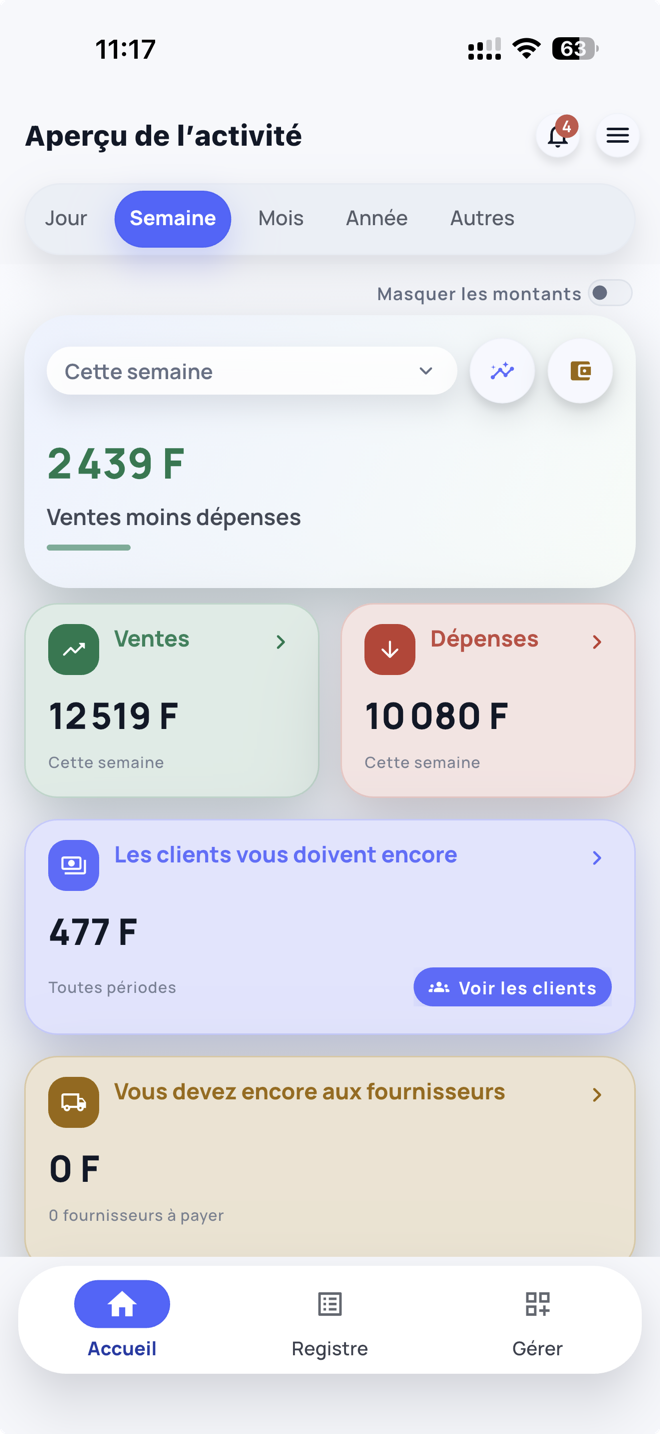
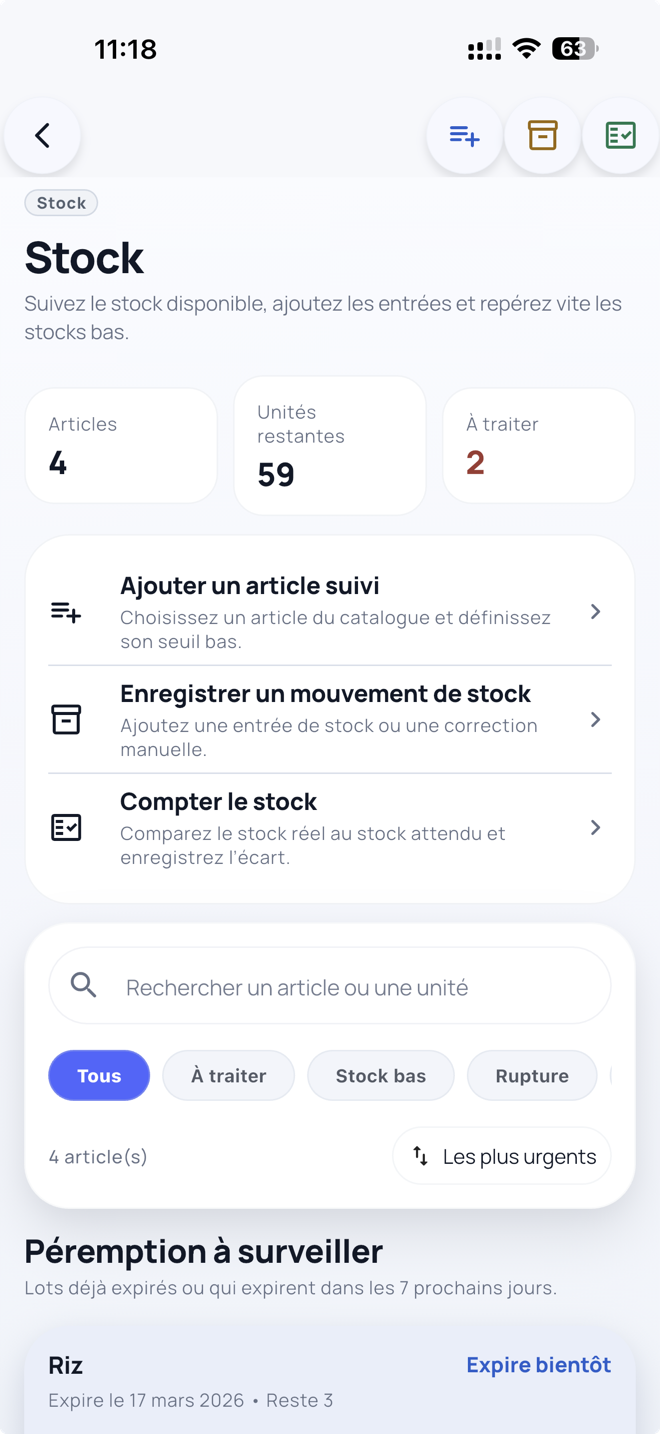
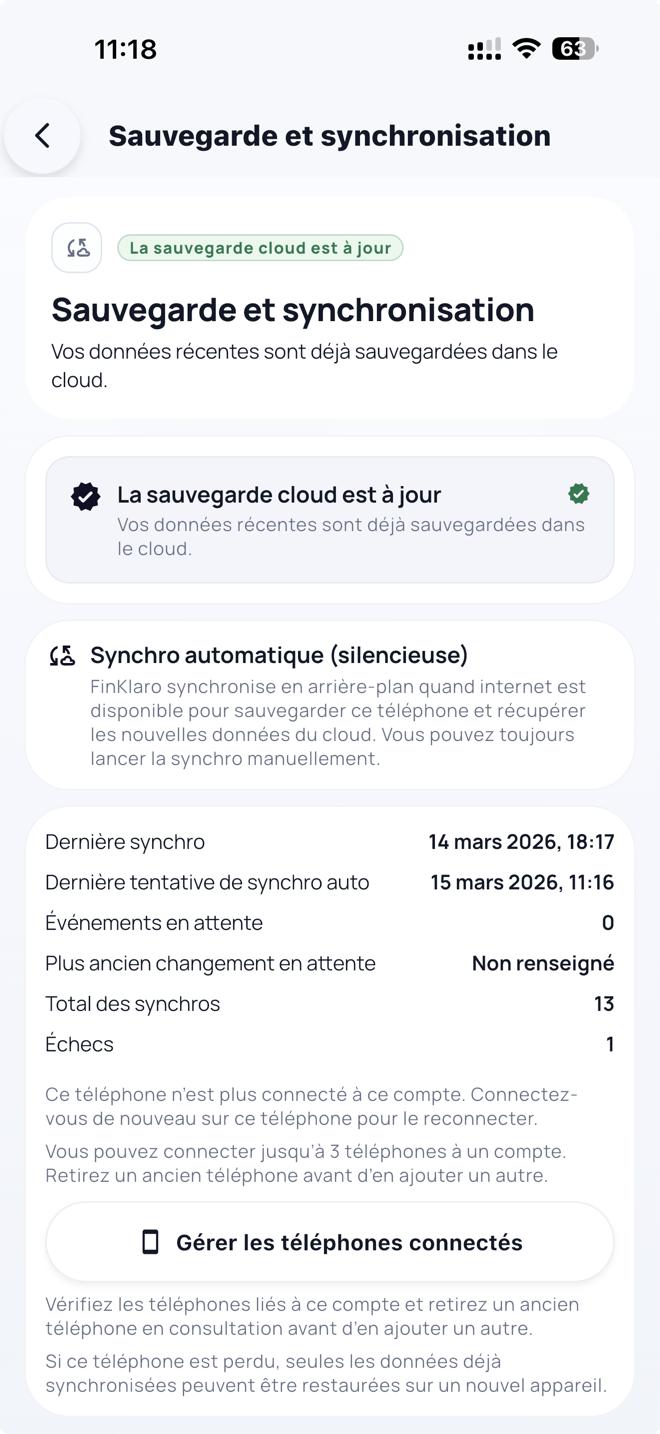
The app, exactly as merchants use it
Real FinKlaro screens — the daily overview, stock control, and cloud backup — shown in the French interface used across the region.
Why this, why now
Across West and Central Africa, most small businesses still run on paper notebooks, memory, and chat messages — even as smartphones and mobile money have already reached the counter. FinKlaro is built for exactly that moment.
Owners and staff share the same books across devices, with clear roles for who can record and who can view.
French and English across the app, receipts, and website — matching how the region actually trades.
One app for the whole business
Each screen answers a real question from the working day — and together they give a small business the records it has never had before.
Sales
900 FSales today
See the day clearly
Sales, expenses, and the credit customers still owe, in one running daily total.
Stock
18Items tracked
Stay ahead of stock
Low stock, expiry dates, and recount reminders come up on their own — no spreadsheet needed.
Receipts
PDFReceipt ready
Give customers real receipts
Every receipt is generated from the recorded sale, so it always matches the books.
Recovery
RestoreBackup ready
Never lose the books
A lost, sold, or broken phone restores to its latest synced state on a new device.
Easy for merchants. Serious underneath.
Merchants get a fast, familiar daily tool. Underneath, every action becomes a durable record in a sync engine designed for unreliable networks.
Record the whole day in seconds
One app for sales, expenses, receipts, stock, and everything still owed.
- Fast entry right at the counter
- Customer credit stays visible until it is settled
- Supplier balances linked to stock purchases
- Receipts shared straight from a sale
Sync built for real-world networks
Offline capture, full-mirror synchronization, per-device roles, and recovery on a new phone.
Engineered for resilience
- Records are saved on the device first
- Every change is a durable, replayable event
- Writer and viewer roles for each connected phone
- A complete recovery path when a phone changes
Everything the notebook can't do
Most merchants have never used business software. FinKlaro replaces paper notes, memory, and scattered messages — and adds the one thing none of them can offer: a record that survives.
Get the appSee the full comparisonFrom informal to bankable
Clear, recoverable records are the first step toward the credit, insurance, and growth that formal businesses take for granted.
Notebook + chatFinKlaroFinKlaro + backup
Sales and expenses in one daily view×●●
Stock levels and low-stock alerts×●●
Customer credit and supplier balances×●●
Receipts generated from each sale×●●
Works with no connection×●●
Restore the business on a new phone××●
The principles behind the product
FinKlaro is opinionated software. A few firm beliefs shape every screen and every decision.
A business's history should never depend on a single fragile phone. Whatever happens to the device, the records come back.
The app has to work fully without a connection — every sale, every day — and quietly catch up with the cloud later.
If a screen isn't instantly clear to a busy shopkeeper, it isn't finished. Simplicity is a feature, not a compromise.
The app is live. Try it on your own phone.
FinKlaro is available today on Android and iPhone. Record a day of business, turn off the network, sync later, switch phones, and watch everything come back.
Go to download links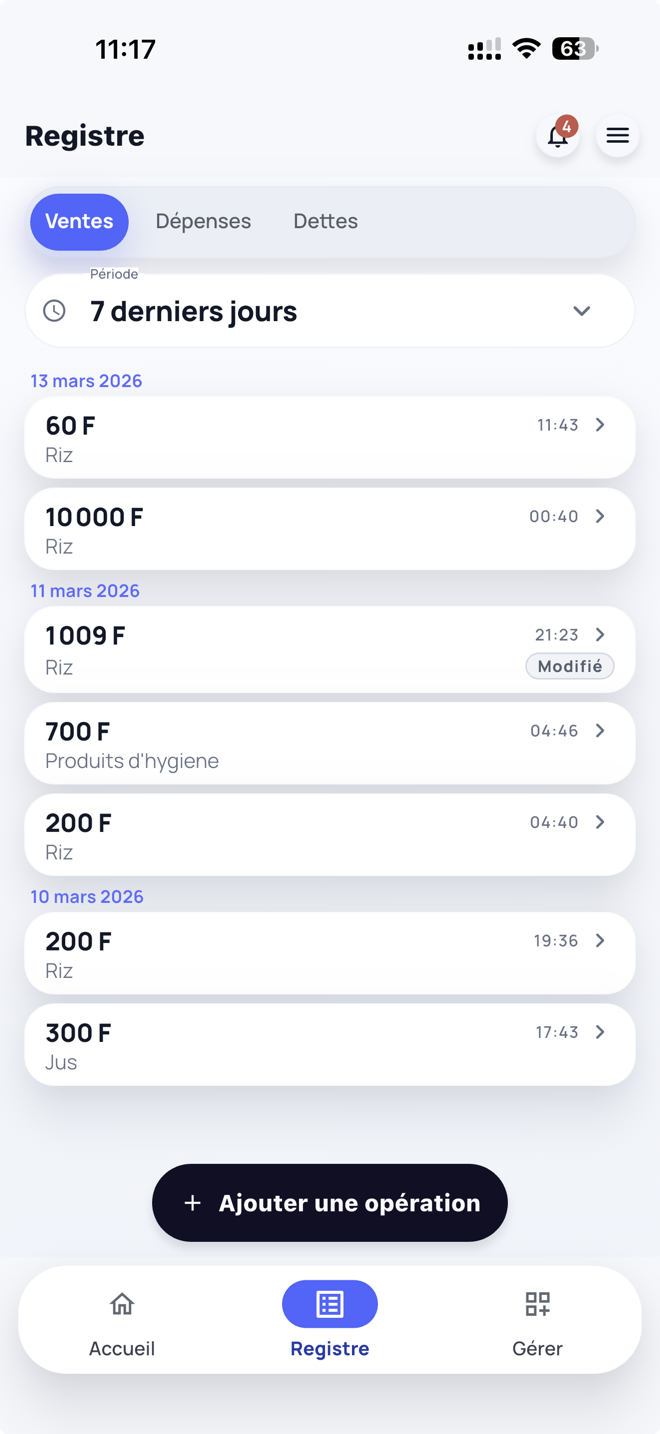
Frequently asked questions
The questions merchants, partners, and investors ask before they start.
Talk with FinKlaro
Whether you're a merchant, a partner, or an investor, tell us what you'd like to explore — we'll reply by email.
Is FinKlaro only for shops that carry stock?
No. FinKlaro works for retailers, service businesses, and mixed operations. Each business uses only the features that match its day-to-day.
Does FinKlaro work without internet?
Yes. The app is offline-first: every entry is saved on the phone immediately and synced to the cloud once a connection is available.
What happens when a merchant changes phones?
They sign in on the new phone and restore the latest synced data, then keep working without missing a beat.
Can merchants share or print receipts?
Yes. Receipts are generated from the recorded sale, so they always match the books — and can be shared or printed in seconds.
Is FinKlaro available in French and English?
Yes. The app, its receipts, and this website are all fully bilingual.
Talk with FinKlaro
Use the form to tell us about your business, what you want to track, or what you want to try first. If delivery fails, use the email below.
Please add your name, one reachable contact, and a short message so the team can answer clearly.